Pick your style
Drag to see more. Every look is in the settings.
How to install
- 1Install Fabric and Fabric API for your Minecraft version.
- 2Download the file for your version above and put it in your mods folder.
- 3Open the Spotify app on your computer and play a song. That's it!
What it does
Live lyrics
Synced lyrics like Apple Music: the line being sung lights up word by word as the song plays. Press K to show or hide them.
Lyrics your way
Drag them anywhere, resize them, and pick the font, colours, background and animations. Works with the island turned off too.
See what's playing
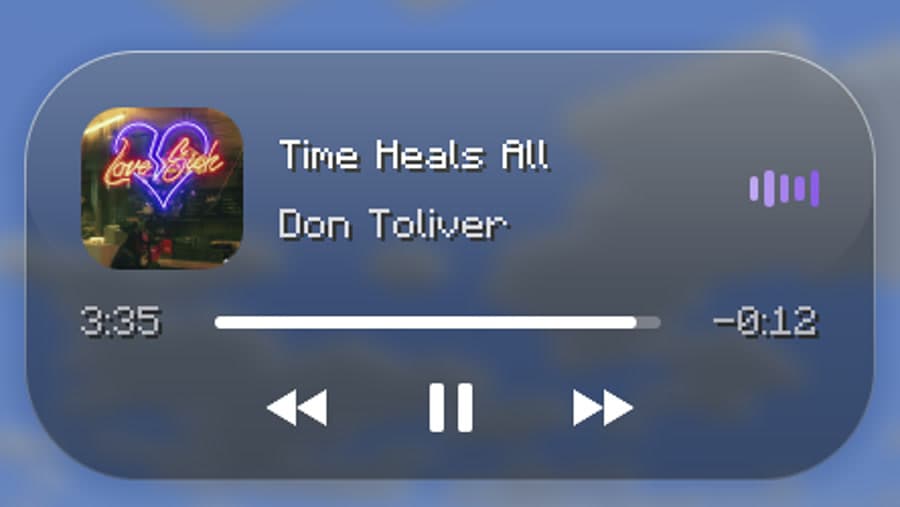
Song name, artist, cover art and how far into the song you are, at the top of your screen.
Control your music
Play, pause and skip songs without leaving the game. Press J to open the island bigger.
Pick a look
Four styles: Dynamic Island, Liquid Glass, Tinted Glass and Graphite. Move it and resize it too.
Pops up on new songs
When a song changes, the island opens for a few seconds so you see what's next.
All versions
Spotify Island 1.1.1. Pick the file for your Minecraft version.
Questions
It doesn't show up!
By default it only shows on servers. To see it in single player too, open its settings (Mod Menu → Spotify Island) and turn "Servers only" off. Also make sure the Spotify app is open and playing.
It crashed or didn't load?
Make sure you downloaded the file for your exact Minecraft version from this page, and that Fabric API is installed.
Does it work on Windows and Mac?
Yes, both. On Windows it uses the music controls built into Windows; on Mac it talks to the Spotify app.
Does it need the Spotify app?
Yes, the Spotify desktop app (not the website in your browser).
Can I use the source code?
No. Spotify Island is All Rights Reserved: you can't reuse its code, make your own version or re-upload it. You can use it, make videos with it and add it to modpacks that link to this page. See the License page for the details.
Where do the lyrics come from?
From LRCLIB, a free lyrics library, so the song's name is sent there to find them. Not every song has synced lyrics; turn lyrics off in the settings if you don't want them.

Also by h.azard: Frameback
Clip your best Minecraft moments with F8. Works great with Spotify Island.